Skip to content

For influencers and creators

The link in your bio, built to be looked at.

Your posts get people to your profile. Give them a page that feels like you: your best content up front, your shop and partners close by, and an easy way to reach you.

14 days of Pro, no card. If you do not subscribe, your page stays live.

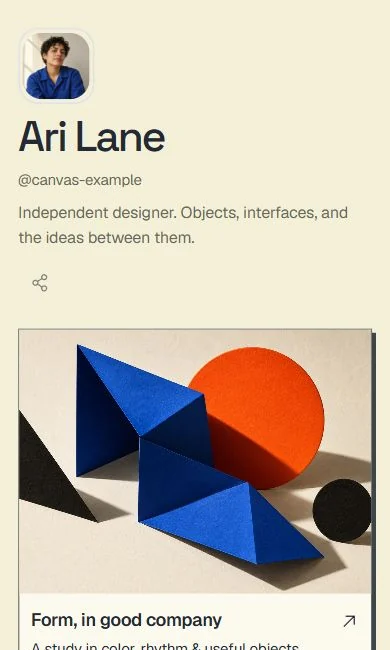
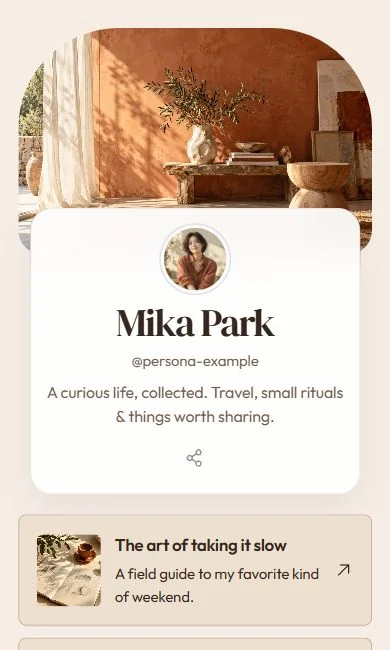
The Canvas template, a page of graphic project tiles.The Persona template, a portrait-led page with a featured story.

Three starting points for creators.

Each one is a finished page you can open and scroll below. Your name, photo and links replace the example content when you start.

  1. The Persona template with example content.

    Persona

    A home for all your sides

    A portrait-led front page with one featured story and a few chosen destinations. For the creator whose face is the brand.

    Use Persona
  2. The Canvas template with example content.

    Canvas

    A portfolio with a point of view

    Large project tiles and a strong featured piece. For the creator whose best content deserves more than a thumbnail.

    Use Canvas
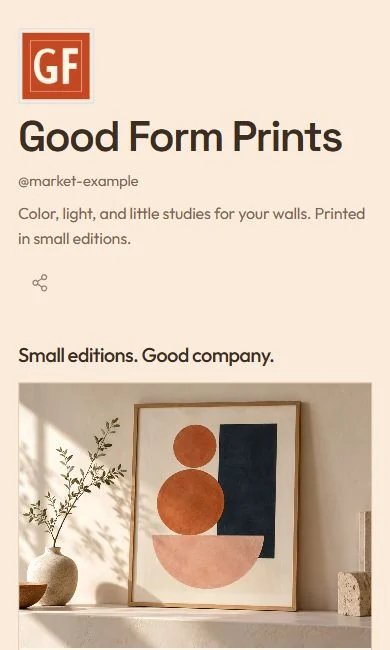
  3. The Market template with example content.

    Market

    A considered storefront

    Image-led products with direct links to wherever you already sell. For merch, picks and the things you recommend.

    Use Market

Example content, so you can see how each page behaves. Your own details start blank.

Three things your page does.

  1. It gives your best work the front row.

    A featured story or video sits above the rest, then your other destinations follow in the order you choose. Nobody has to scroll a wall of identical buttons.

  2. It follows your calendar.

    Schedule a link to appear when a launch, drop or campaign begins and to leave when it ends, so your bio is never out of date. Scheduled links are part of Pro.

  3. It lets you keep the people who stop by.

    Add an email sign-up to your page and export every address as a CSV file whenever you like. Subscriber export works on every plan, including after your trial.

Already on Linktree? Bring your links across.

Paste your Linktree address and your links arrive in a private draft, ready for you to restyle. Your Linktree stays exactly as it is until you decide to swap the link in your bio.

Linktree import and subscriber export work on every plan.
Import from Linktree

Plans

Try Pro for 14 days.
Keep your page either way.

No card to start. If you stay on, Pro is $6 a month or $48 a year. If you do not, your page stays live.

Start here

14-day trial

No card

Your first publish starts 14 days of Pro. Afterwards your page stays live with a small Flought badge.

  • Every template and design control during the trial
  • Edit your text and swap your photo afterwards
  • Up to 5 links afterwards
  • Linktree import and subscriber export, on every plan
Start with Persona
Pro

Pro

$6 / month

$48 a year with annual billing. The first 100 annual customers pay $36 a year and keep that price for as long as they stay subscribed.

  • Unlimited links and the Flought badge removed
  • Traffic analytics and scheduled links
  • Subscriber list and notification emails
  • Custom domain and tracking pixels
See the plans

Refunds are available within 30 days of any payment, including renewals.

Questions creators ask.

How do I use it on Instagram or TikTok?

Publish your page and you get an address like flought.com/yourname. Paste that address in your bio, the same way you would any other link.

Can I track what people do on my page?

Pro includes traffic analytics for page views and link clicks, and lets you add Meta, TikTok and GA4 pixels. Without Pro your page still works; the analytics view is simply locked.

What happens when the 14-day trial ends?

Your page stays live with a small Flought badge. You can still edit your text, swap your photo and keep up to 5 links, and you can still import from Linktree and export subscribers. Premium design controls, analytics, scheduling, a custom domain and extra links need Pro.

Do I need a card to try it?

No. The trial is 14 days of Pro and asks for no card. You only enter payment details if you decide to subscribe.

Can I change my template later?

Yes. Preview another template in Studio and apply it. Your content comes with you, so you can try a new look without starting again.

What does joining the waitlist do?

It puts your email on a list for news about Flought for creators. You can also ask us to hold the handle you want. You do not need to join the waitlist to start a page; the button at the top opens Studio straight away.

Not ready to build yet?

Leave your email and we will write when there is news for creators. Add the handle you want and we will note it for you.

We use your email only to write to you about Flought. Privacy

Or start with Persona now

Thank you. You are on the list.

Letters, numbers, dots, underscores and hyphens.